
Suppose you want to allow your users to select multiple options. However, you want to display the options just like a dropdown. The HTML built-in dropdown box has a multiple option; but most users are unaware of how to select multiple options from such a list.
Here is a jQuery component to your rescue: Bootstrap MultiSelect.
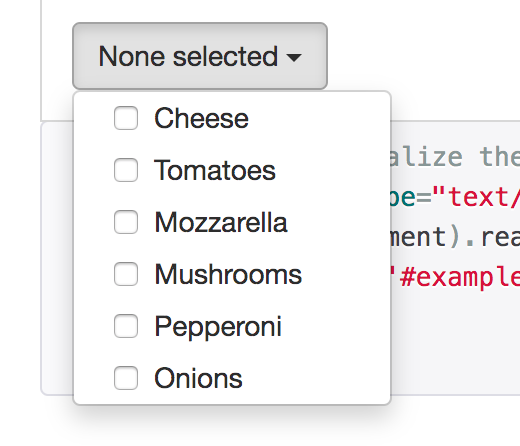
The sample code to set up a dropdown box:
<select name="ingredients[]" id="ingredients" multiple="multiple"> <option value="cheese">Cheese</option> <option value="tomatoes">Tomatoes</option> <option value="mozarella">Mozzarella</option> <option value="mushrooms">Mushrooms</option> <option value="pepperoni">Pepperoni</option> <option value="onions">Onions</option> </select> $(document).ready(function() { $('#ingredients').multiselect(); }); You can find the documentation for this jQuery component here: Bootstrap Multiselect
See Also
- Custom styled checkboxes with Bootstrap
- How to create checkbox in Bootstrap style ?
- Checkbox checked validation using JavaScript
- Checkbox validation using jQuery
- HTML Form Checkbox with required validation
- HTML Form with Checkboxes examples and sample code
- How to do multiple checkbox validation in Javascript
- How to get checkbox value in form submission