
Radio button allows user to choose only one of the pre-defined options. Each radio button must be accompanied by a label describing the choice it represents.
There are two ways to label radio button elements. One is to enclose the whole <input type="radio"> tag inside <label> </label> tags:
<label> <input type="radio" name="choice" value="HTML" /> Learn HTML </label> <label> <input type="radio" name="choice" value="Java" /> Learn JavaScript </label> 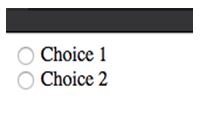
Another alternative is to provide an ID for each radio element and then use that ID in the for attribute of the label.
<input type="radio" id="sizeSmall" ... /> <label for="sizeSmall">Small </label> Here is another example; we are using a fieldset element to show better grouping of the choices.
<form id="radio_btn_select"> <fieldset> <legend>Selecting elements</legend> <label>Choose one option: </label> <input type="radio" name="fontSizeControl" id="sizeSmall" value="small" checked="checked" /> <label for="sizeSmall">small</label> <input type="radio" name="fontSizeControl" id="sizeMed" value="medium" /> <label for="sizeMed">medium</label> <input type="radio" name="fontSizeControl" id="sizeLarge" value="large" /> <label for="sizeLarge">large</label> </fieldset> </form> All radio buttons with same name are treated as a group. When the form is submitted it will include contents of ‘value’ attribute corresponding to the selected radio button.